

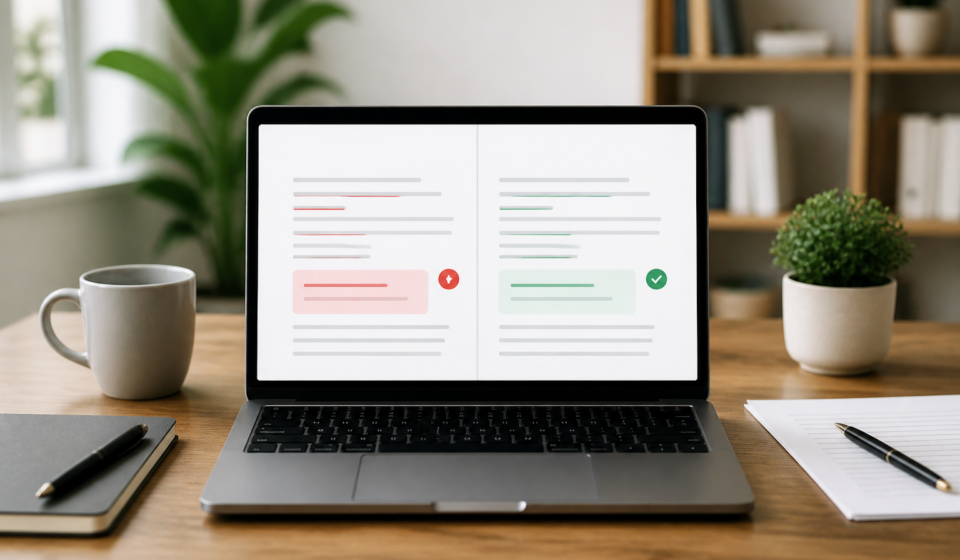

Grammarly Pro is worth the investment for full-time writers and corporate employees who need to fix tone and clarity issues at scale. For casual users who just need to catch typos in a quick email, the free version remains the most effective tool on the market. This Grammarly review breaks down the 2025 updates, the aggressive AI features, and the privacy risks you need to consider before handing over your credit card details.
Writing has changed since the introduction of large language models. A tool that used to just underline misspelled words now tries to rewrite your entire personality. If you are not careful, these suggestions can strip the human element out of your work or, worse, get you flagged for academic dishonesty. I have used both the free and paid versions for several years to manage technical documentation and marketing copy.
What is Grammarly and who is the 2025 Pro version for?
Grammarly started as a relatively simple cloud-based spellchecker. By 2025, it has transitioned into an “AI-first” writing assistant. The company recently rebranded its “Premium” tier to “Grammarly Pro.” This change is not just cosmetic. The Pro version now focuses heavily on generative AI, branded as GrammarlyGO, which allows you to draft entire emails or rewrite paragraphs based on specific prompts.
The free version provides basic grammar, spelling, and punctuation alerts. It is enough for students who are confident in their writing style but want a safety net for typos. The Pro version adds a clarity filter, tone adjustments, and a plagiarism checker. If you find yourself frequently wordy or if your boss tells you that your emails sound too aggressive, the Pro features help bridge that gap.
The pricing for Grammarly Pro remains a sticking point. It costs roughly 30 USD per month if you pay monthly, which is steep for a browser extension. The annual plan drops that price significantly to about 12 USD per month, but you have to pay the full 144 USD upfront. This creates a high barrier to entry for freelancers or students on a budget.
The interface is consistent across Windows, Mac, and browser environments. The desktop app lives in your system tray and overlays a small floating icon on almost any text field you click. In my testing on a 2023 MacBook Pro and a mid-range Windows laptop, the app was responsive, though it occasionally struggled with deep integration in complex apps like Discord or specific CRM fields.
The shift from Premium to Grammarly Pro
The transition to the Pro branding signals a shift toward business teams. Grammarly is no longer just trying to help you pass a freshman English class. They are positioning the tool as a productivity suite. The new Pro tier includes higher limits for AI prompts, usually around 500 to 1,000 per month depending on your specific account history.
Free vs. Pro: The feature gap explained
The free version gives you red underlines for objective errors. The Pro version gives you blue and purple underlines for subjective improvements. For example, the free version will tell you if you wrote “their” instead of “there.” The Pro version will tell you that a sentence is “hard to read” and offer a one-click button to rewrite it for better flow. This specific feature is where most of the value lies for professional editors.
Data privacy and the hidden risks of LLM training
Privacy is the biggest concern for anyone using a cloud-based grammar checker. When you type in Grammarly, your text is sent to their servers for analysis. This is a requirement because the AI models are too large to run locally on your computer. If you are working on a secret government project or a medical case with strict HIPAA requirements, you should be very careful.
By default, Grammarly uses some of the data it collects to train its algorithms. While they claim to de-identify data, the thought of corporate secrets sitting in a training set is enough to make any IT department nervous. For those working in law or finance, this could be a dealbreaker.
Does Grammarly own your content?
Grammarly does not claim ownership of your content. According to their terms of service, you retain the copyright to everything you write. However, you do grant them a license to process and store that data to provide their services. This is standard for cloud software, but it still means your data is sitting on someone else’s server.
How to opt-out of AI training for corporate security
You can and should opt-out of the data training program if you value your privacy. To do this, you must go to your account settings, click on “Privacy Control,” and toggle off the button that says “Contribute my data to improve Grammarly.” It is hidden behind a few menus, which feels intentional. Once you turn this off, your text is still processed by their AI, but it is not stored to train future versions of the model.
If you are using the Enterprise tier, these protections are usually stronger and managed by your company’s administrator. For individual users, you are responsible for checking these settings yourself. If you are exploring various AI tools and engineering options, you will notice that Grammarly’s privacy controls are better than many free AI startups but less transparent than specialized secure editors.
The accuracy test: When Grammarly ruins your meaning
Grammarly is not always right. In fact, it can be confidently wrong. During my testing, the tool frequently suggested removing commas that were necessary for the sentence’s meaning. It also struggles with technical jargon. If you are writing about a niche scientific topic, Grammarly will often flag correct terminology as a spelling error or suggest a “simpler” word that completely changes the technical accuracy of the statement.
The AI often pushes for a very specific, corporate-friendly style. It hates the passive voice, even when the passive voice is the most appropriate way to phrase a sentence. If you follow every suggestion Grammarly gives you, your writing will end up sounding like a generic HR manual.
False positives and stylistic hallucinations
A false positive is when the software flags a correct sentence as an error. I noticed this happens most often with introductory phrases. Grammarly will insist on a comma where one is not strictly required by the Purdue Online Writing Lab (OWL) standards. These small errors add up, and if you blindly click “Accept” on every suggestion, you will introduce new mistakes into your work.
Grammarly vs. specialized style guides
Grammarly allows you to set your preferred style guide, such as American, British, or Canadian English. However, it does not strictly follow professional manuals like the AP Stylebook or the Chicago Manual of Style. It uses its own proprietary “best practices” model. If your job requires you to follow a specific house style, you will still need a human editor to verify the final draft.
The “Tone Detector” is another feature that frequently fails. It tries to tell you if you sound “joyful,” “concerned,” or “formal.” In one test, I wrote a stern email about a missed deadline, and Grammarly told me I sounded “optimistic.” This kind of AI hallucination can lead to awkward social situations if you rely on it to gauge how people will react to your writing.
Performance and technical impact on your workflow
Grammarly is a resource-heavy application. Because it is constantly scanning your text and communicating with a server, it consumes a significant amount of RAM. If you are using the Chrome extension alongside twenty other tabs, you might notice your browser start to stutter.
I conducted a test with a 5,000-word document in Google Docs. As the word count increased, the delay between typing a word and seeing the grammar suggestion became noticeable. On a laptop with 8GB of RAM, the lag was severe enough to be frustrating. If you regularly write long-form content like novels or white papers, you might find the desktop app more stable than the browser extension.
RAM consumption and browser lag: The 5,000-word test
During the 5,000-word test, the Grammarly extension’s memory usage spiked to over 600MB. This is significant for a single extension. The lag spikes usually occurred when I tried to scroll quickly through the document. The software has to re-scan the visible text, which causes a brief freeze. For short emails and social media posts, this is never an issue, but for power users, it is a technical hurdle.
Integration stability with Slack, Discord, and CRMs
Grammarly works well in Slack and Discord, which is great for maintaining professionalism in fast-paced chats. It also integrates with Salesforce and Zendesk, making it a favorite for customer support teams. But the integration is not perfect. Sometimes the Grammarly widget covers up important buttons in the CRM interface, forcing you to move the floating icon or disable it entirely for that site.
The biggest technical drawback is the lack of an offline mode. If your internet drops out while you are on a train or a flight, Grammarly stops working entirely. It cannot check your spelling using local files. You are left with a standard, basic spellcheck provided by your operating system, which is much less sophisticated.
GrammarlyGO vs ChatGPT: Which AI edits better?
With the rise of ChatGPT, many wonder if they still need to pay for Grammarly Pro. GrammarlyGO is built on similar technology, likely using a version of GPT-4, but it is tuned specifically for writing. ChatGPT is a general-purpose tool that requires you to write long prompts to get the result you want. GrammarlyGO is more convenient because it is integrated directly into your text box.
In a direct comparison, ChatGPT-4o tends to be more creative and better at long-form generation. GrammarlyGO is better at subtle rewrites that maintain your original intent. If you tell ChatGPT to “make this sound professional,” it often goes overboard and makes you sound like a robot. Grammarly’s “Clarity” suggestions are usually more grounded.
Plagiarism checker accuracy: A side-by-side comparison
The Grammarly Pro plagiarism checker is one of its most valuable features for students and content marketers. It checks your text against billions of web pages and ProQuest’s academic databases. In my tests, it successfully identified passages taken from obscure academic journals that a simple Google search missed.
However, it is not foolproof. It can struggle with content that has been heavily paraphrased. If someone takes an idea and rewrites every word, Grammarly will likely not flag it as plagiarism. For a more robust check, some users prefer specialized tools, but Grammarly is sufficient for checking if a freelancer has copied a blog post from a competitor.
| Feature | Grammarly Pro | Hemingway App | LanguageTool |
|---|---|---|---|
| Basic Grammar | Yes | Limited | Yes |
| Tone Adjustments | Yes | No | Yes |
| Plagiarism Check | Yes | No | Yes (Premium) |
| Offline Mode | No | Yes (Desktop) | Yes (Local Server) |
The “Brand Voice” feature is a new addition for teams. It allows a company to set rules for all employees, ensuring that everyone uses the same terminology and tone. This is a massive time-saver for marketing managers who otherwise have to spend hours editing their team’s work for consistency.
The dark side of billing: How to cancel without the headache
If you search for Grammarly on review sites like Trustpilot, you will see a lot of angry comments about billing. The company uses an auto-renewal system, which is standard, but they do not always send a reminder before they charge you for an annual subscription. If you forget to cancel a free trial, you could suddenly find yourself 144 USD poorer.
Canceling is not as simple as clicking one button. They will put you through a series of “Are you sure?” screens, offering you discounts to stay. You must click through at least three or four prompts to actually stop the subscription.
Avoiding the auto-renewal traps
The best way to handle a Grammarly Pro trial is to cancel it immediately after you sign up. You will usually still have access to the Pro features for the remainder of the trial period, but you won’t have to worry about a surprise charge in seven days. If you do get charged, their support team is generally helpful, but they are not obligated to give you a refund once the new billing cycle has started.
To cancel your subscription, go to the “Account” section, then “Subscription,” and look for the “Cancel Subscription” link at the bottom of the page. Follow every step until you receive a confirmation email. If you don’t get that email, you haven’t finished the process.
Final verdict: Should you upgrade to Grammarly Pro?
This Grammarly review has covered the technical, financial, and ethical aspects of the tool. So, should you pay for it?
If you are a student writing an occasional essay, the answer is probably no. The free version is enough to catch the errors that would lose you points. However, if you are a professional who communicates with clients daily, the Pro version is a legitimate career booster. The clarity suggestions alone can make you seem much more competent than you might actually be.
Creative writers, such as novelists, might find Grammarly Pro frustrating. The tool does not understand artistic license. It will try to “fix” rhythmic fragments and stylized dialogue. For these users, ProWritingAid is a better choice because it offers much deeper reports on repetitive words, pacing, and dialogue tags that Grammarly ignores.
For corporate professionals, Grammarly is the gold standard. The time you save by not having to re-read an email five times before hitting send is worth the 12 USD per month. Just make sure you turn off the data training settings to keep your company’s information safe.
If you are on the fence, start with the free version. Use it for a month and pay attention to how many “Premium” alerts you get in the sidebar. If you see dozens of alerts for “Clarity” or “Tone” in every document, that is a sign that the upgrade will actually provide value. If you only get a few red underlines for typos, stick with the free tier and keep your money.
Frequently asked questions
Is Grammarly Pro worth the money in 2025?
It depends on your volume. For professionals writing 2,000+ words daily, the advanced clarity and tone suggestions save time, but for casual users, the free version remains sufficient. The Pro version is essentially a productivity tool rather than just a spellchecker.
Can Grammarly be detected by AI detectors?
Basic grammar checks are safe, but using GrammarlyGO to rewrite entire paragraphs can trigger AI detection flags in academic environments. Professors and editors use software that looks for the predictable patterns in generative AI. You should use the suggestions as a guide but keep the final wording in your own voice.
How do I stop Grammarly from using my data to train its AI?
Go to your account settings under “Privacy Control” and toggle off the option to contribute your data for product improvement. This prevents your specific sentences from being used to help the AI learn how to write better for other people. This is the most important step for anyone handling confidential information.
Does Grammarly work offline?
No, Grammarly requires an active internet connection to process text through its cloud-based AI servers. You cannot get suggestions while working in offline mode. If you lose your connection, the interface will show a disconnected icon and will not provide any underlines or corrections until you are back online.
Is there a student discount for Grammarly?
Grammarly does not offer a permanent student discount, but they frequently run 40-50% off sales during “Back to School” seasons in August and September. Many universities also provide free Pro accounts to their students, so check with your school’s IT department or writing center before paying for a subscription yourself.